Sprunki OC V3 — Make Weird Beats With Custom Sounds
Play Sprunki OC V3 instantly in your browser - No download required!
Share Sprunki OC V3 with Friends!
Tweet about Sprunki OC V3, a fun Sprunki game!
Discover More Sprunki OC V3
Call Wenda Sprunki Right Now
Spruted Remastered Alternative Phase 2
Sprunki Tragic Breakout
Sprunki Phase 2.5 but Different
Sprunki IncrediBox
Sprunki 2020
Sprunki The Joy lives on
Sprunki Skrunchy 2.0
Sprunki Popular Songs

Crazy Cattle
10000 Player Chess
Sprunki Remake 5.0
Sprunki Phase 777 XD
ParaSprunki 15.5.5!!! RECRE
Fusion Horror Sprunki
Crazy Sprunki 3D
Super Dark Deception
Sprunki Sprunktastic
FRUNKI Remastered
Baseball Bros IO
What Is Sprunki OC V3?
Sprunki OC V3 is a fan-made rhythm sandbox where you stack original characters, each carrying their own loops, vocals, and effects, into layered tracks. Think of it like having a pocket studio full of weird little musicians who only play when you tell them to. The whole thing runs right in your browser, so you can build a banger and share it before your coffee gets cold.
How to Play Sprunki OC V3
Pick Your Crew
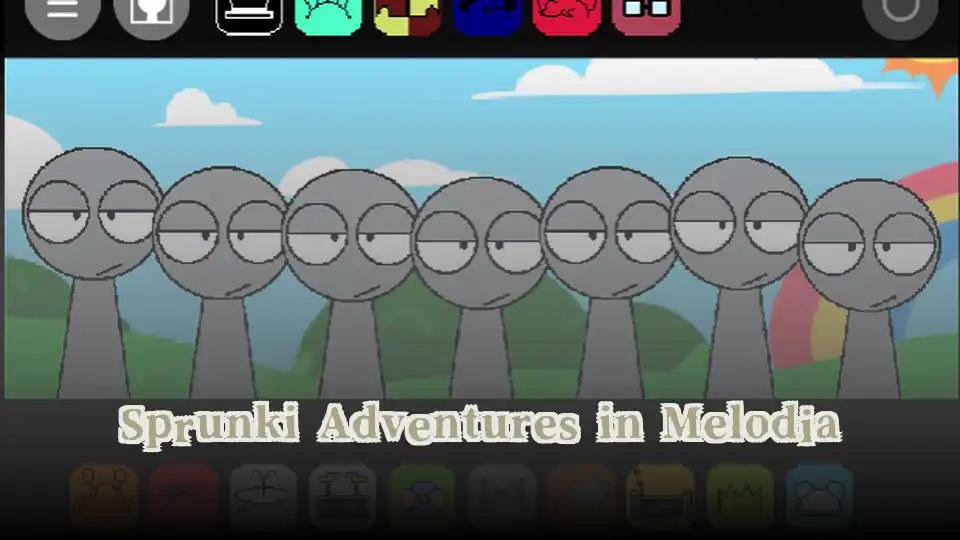
Choose from a roster of OC characters, each loaded with unique sound packs. Mix and match to see which combos click.
Drop Icons On Stage
Click or drag a character onto the stage to activate their loop. Each addition layers onto the current beat in real time.
Stack The Sounds
Keep dropping characters to build rhythm, melody, and bass layers. The more you stack, the denser your track gets.
Swap And Mute On The Fly
Click an active character again to silence them, or swap them out mid-beat. Live remixing is half the fun.
Record Or Reset
Capture your mix once it sounds right, or wipe the stage and start a new jam from scratch.
Sprunki OC V3 FAQs
Is Sprunki OC V3 free to play?
Yes, the whole thing runs free in your browser with no hidden paywalls blocking the good stuff.
Do I need to download anything?
Nope. Open the page, wait a couple seconds for it to load, and you are good to start mixing.
What does OC stand for?
OC means original character, so every performer in this version was made from scratch by the community.
Can I play Sprunki OC V3 unblocked at school?
Most users report it works on school networks since it loads as a simple web page, but filters vary by district.
How many characters can I use at once?
You can stack quite a few before the screen gets crowded, and the game handles layered loops smoothly.
Are there hidden sounds in the game?
Yep, certain character combos trigger secret vocal lines and effect chains that you will only find by experimenting.
Is Sprunki OC V3 different from the original Sprunki?
The V3 version swaps in custom OCs and new sound packs, giving the gameplay a totally different flavor.
Can I save the tracks I make?
The recording feature lets you capture your mix, and you can usually pull the audio file right from the page.
Do I need musical experience to enjoy it?
Not at all. The drag-and-drop setup means anyone can stumble into a decent beat within a few minutes.
Does it work on mobile?
It plays on phones and tablets, though a bigger screen makes stacking characters way easier.
Who made Sprunki OC V3?
It comes from BIZorg and the Sprunki fan community that keeps the mod scene alive.
Can I mute just one character?
Yes, click any active character on the stage to drop their loop out of the mix without affecting the rest.
What Makes It Click
Original Character Roster
Every performer is a custom OC with their own sound palette, so your tracks will not sound like anyone else's.
Layered Loop System
Drop multiple characters at once to hear beats, melodies, and vocal chops collide in unexpected ways.
Instant Browser Play
No downloads, no installs, no logins. Open the page and you are already jamming.
Live Remixing Controls
Mute, swap, and rearrange characters mid-track to reshape your song without stopping playback.
Surprise Combo Moments
Certain character combinations unlock hidden vocal lines and bonus effects that reward experimentation.
Tricks Worth Knowing
Start With A Solid Base
Drop a character with a strong beat or bass loop first, then layer melodies and vocals on top. Building from the ground up keeps your mix from sounding muddy.
Pick one rhythm character before you touch any melody characters.
Listen Before You Stack
Let each character play alone for a few seconds so you can hear what they actually bring to the table before adding more layers on top.
Spend ten seconds solo with every new character before dropping the next one.
Chase The Hidden Combos
Some characters unlock secret effects when placed alongside specific partners, so experiment with unusual pairings instead of safe ones.
Try dropping characters from the same color group together to test for bonus effects.
Use Mute As An Instrument
Silencing a character mid-beat and bringing them back creates drops and call-and-response moments that make your track feel produced instead of random.
Mute your bass character for one bar then bring it back to fake a buildup.
No Downloads, No Drama
Sprunki OC V3 runs straight from your browser tab, so there is nothing to install, nothing to update, and nothing slowing down your device. Load the page, pick your characters, and start cooking beats in seconds. It is the kind of game you can fire up during a five-minute break and still come away with a track you actually like.
Why Bother With Sprunki OC V3
Sounds You Won't Find Anywhere Else
Custom OC packs mean every track you build is one-of-a-kind, not recycled from another rhythm game.
Zero Friction, Pure Jam
No signup, no install, no loading screens that take forever. Click and you are already building beats.
Combo Discovery Is Addictive
Hunting for hidden character combos gives the game a layer of surprise that keeps you poking at new mixes.
Actual Creative Freedom
Unlike rhythm games that score you, this one hands you the tools and gets out of the way.
Replay Value Through Chaos
Every session can sound totally different depending on which characters you grab first.